Live demo · steward-demo.mikodes.com

An AI agent for your CRM. Every change waits for approval.

Your team asks Perfex CRM questions in plain language and gets answers from your own data, with links to the records. When the agent wants to change something, a person sees the exact before and after and approves it first.

The demo is the real module's pages on made-up sample data. Answers to the suggested questions and playbooks are pre-recorded; approving changes this browser tab only. There is no account.

  • Perfex CRM module
  • PHP 8.1+
steward-demo.mikodes.com · sample data
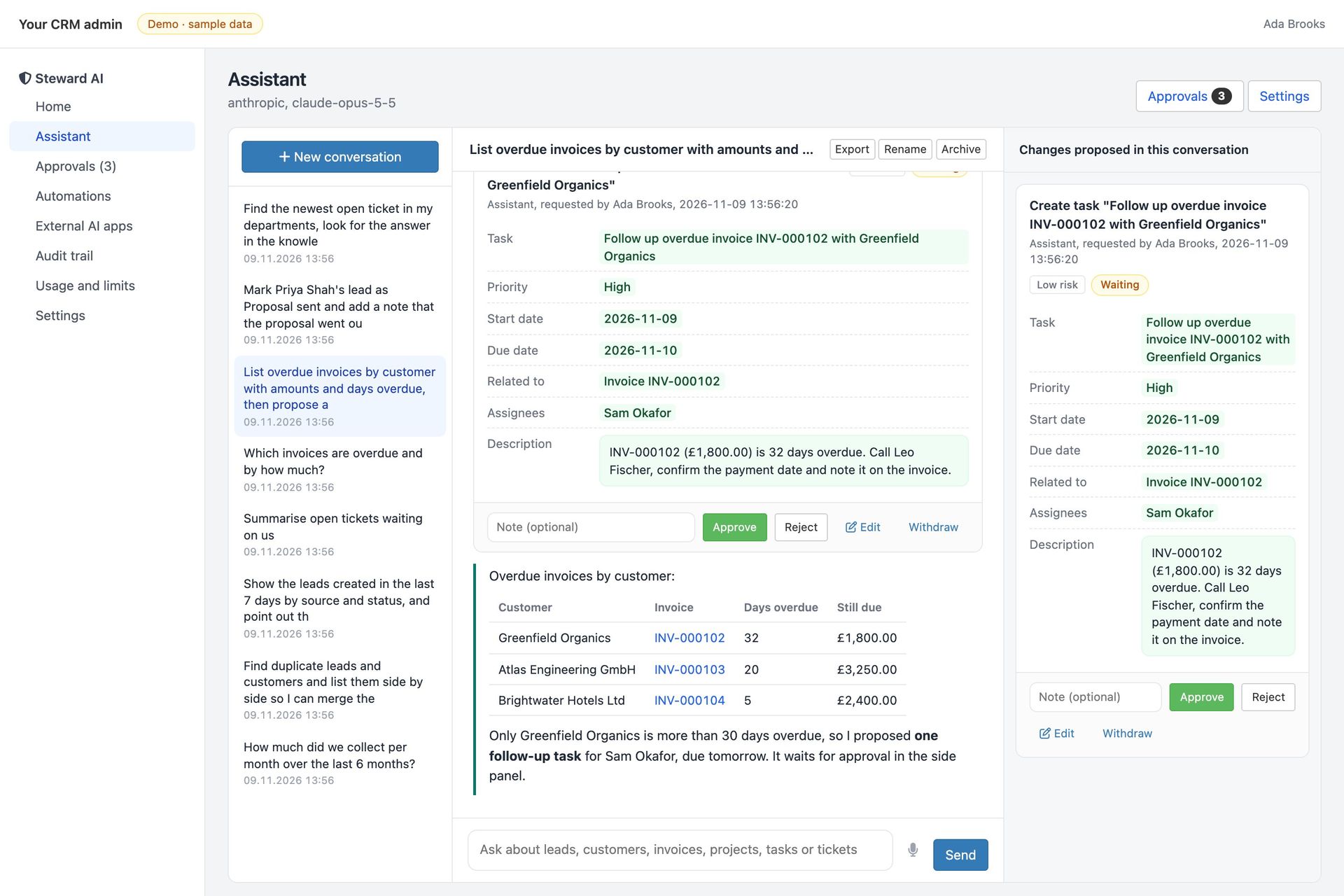
Steward AI assistant: overdue invoices by customer as a table with links, and a proposed follow-up task waiting for approval with its fields shown
steward-demo.mikodes.com · sample data
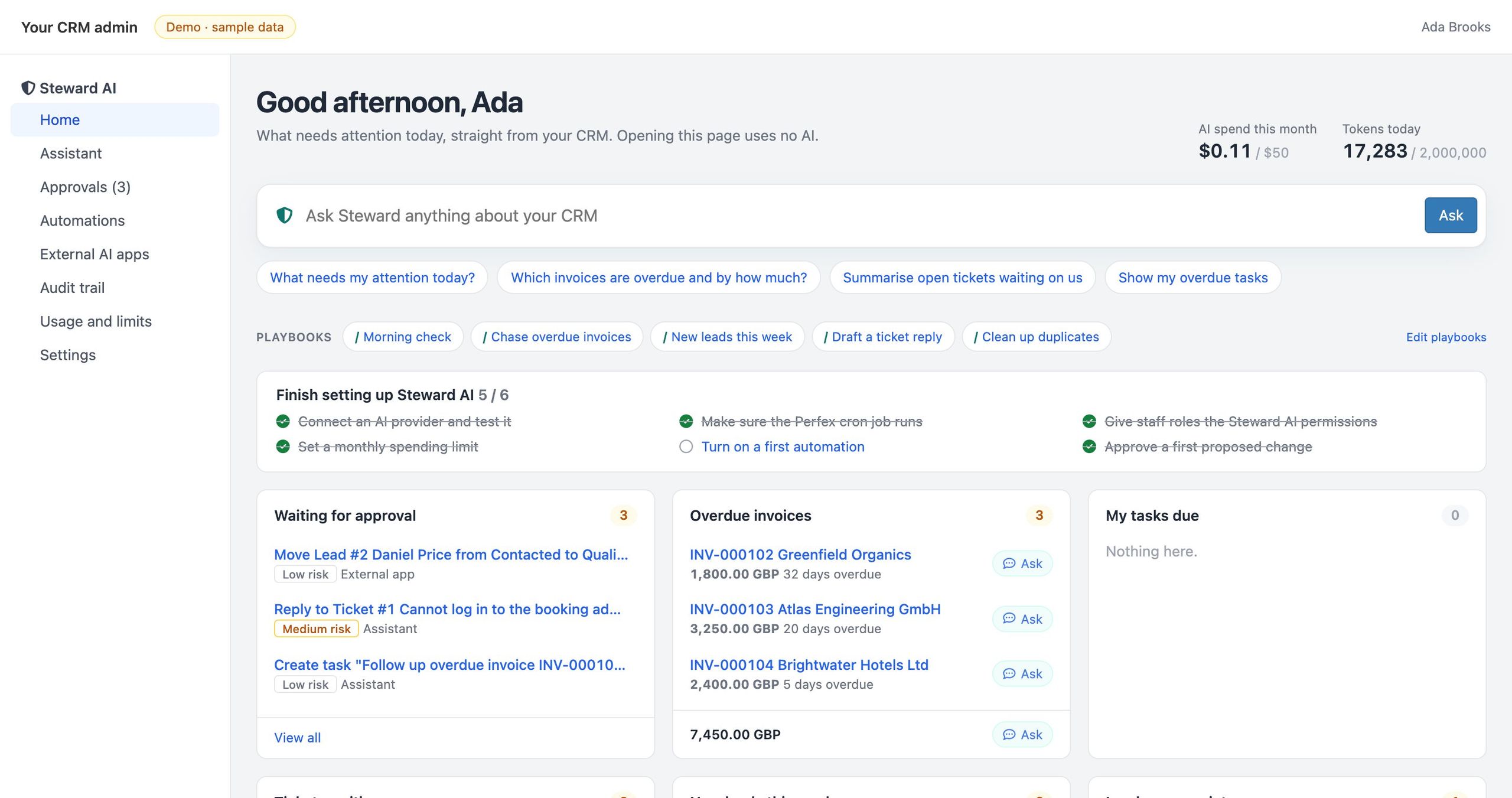
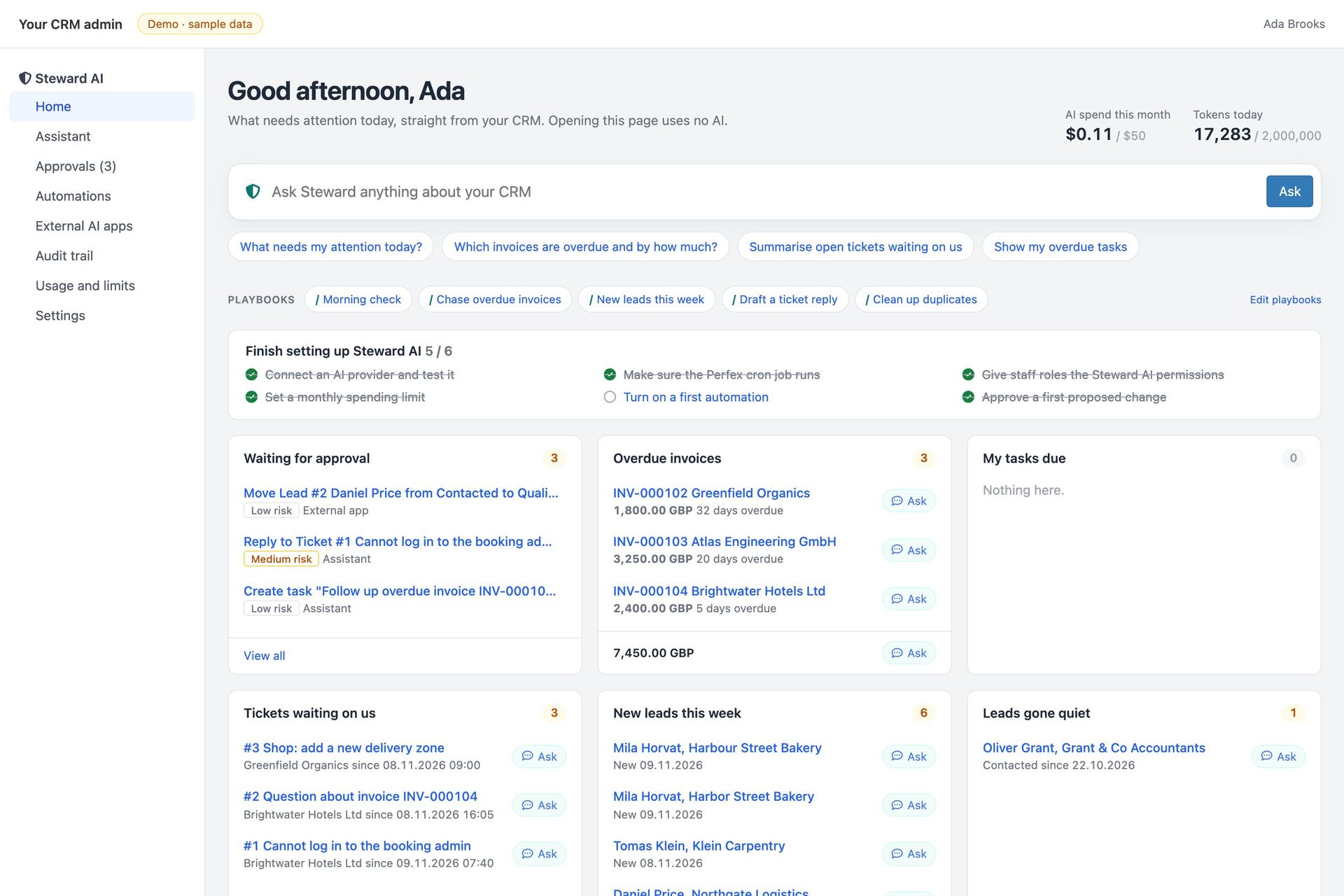
Steward AI home: AI spend this month against the limit, an ask box, suggested questions, team playbooks, the setup checklist, requests waiting for approval and overdue invoices
Home briefing on sample data. Opening this page uses no AI.

Built on

  • PHP 8.1+
  • Perfex CRM 3.2+
  • CodeIgniter 3
  • Claude API
  • OpenAI-compatible APIs
  • Ollama
  • MCP 2026-07-28
  • OAuth 2.1
  • PHP 8.1+
  • Perfex CRM 3.2+
  • CodeIgniter 3
  • Claude API
  • OpenAI-compatible APIs
  • Ollama
  • MCP 2026-07-28
  • OAuth 2.1
  • PHP 8.1+
  • Perfex CRM 3.2+
  • CodeIgniter 3
  • Claude API
  • OpenAI-compatible APIs
  • Ollama
  • MCP 2026-07-28
  • OAuth 2.1
  • PHP 8.1+
  • Perfex CRM 3.2+
  • CodeIgniter 3
  • Claude API
  • OpenAI-compatible APIs
  • Ollama
  • MCP 2026-07-28
  • OAuth 2.1
  1. Askin plain language, in the assistant or the side drawer on any record (Ctrl+J)
  2. Readthe agent looks things up with 28 tools, only where Perfex lets that person look
  3. Proposechanges become requests with the exact before and after, nothing is applied
  4. Approvea person approves, edits or rejects; every step lands in the audit trail

Business plan

Sell AI to your Perfex clients.
Keep them in control.

For agencies and freelancers who install and run Perfex for clients: the module is the product, the setup and playbooks are your service.

  1. 01InstallSetup > Modules > upload, activate, connect the client's AI provider
  2. 02Configureroles, spending limits, automations and the team's playbooks
  3. 03Hand overthe client's staff ask; their managers approve; the audit trail shows it all

Who runs it

  • Agencies that install and host Perfex CRM for clients
  • Freelancers offering Perfex setup and customization
  • Companies that run Perfex in house and want AI without losing control

Where the money comes from

    Running costs AI usage is billed by the provider to the client's own account.

    What is in the module

    The AI does the legwork.
    People keep the last word.

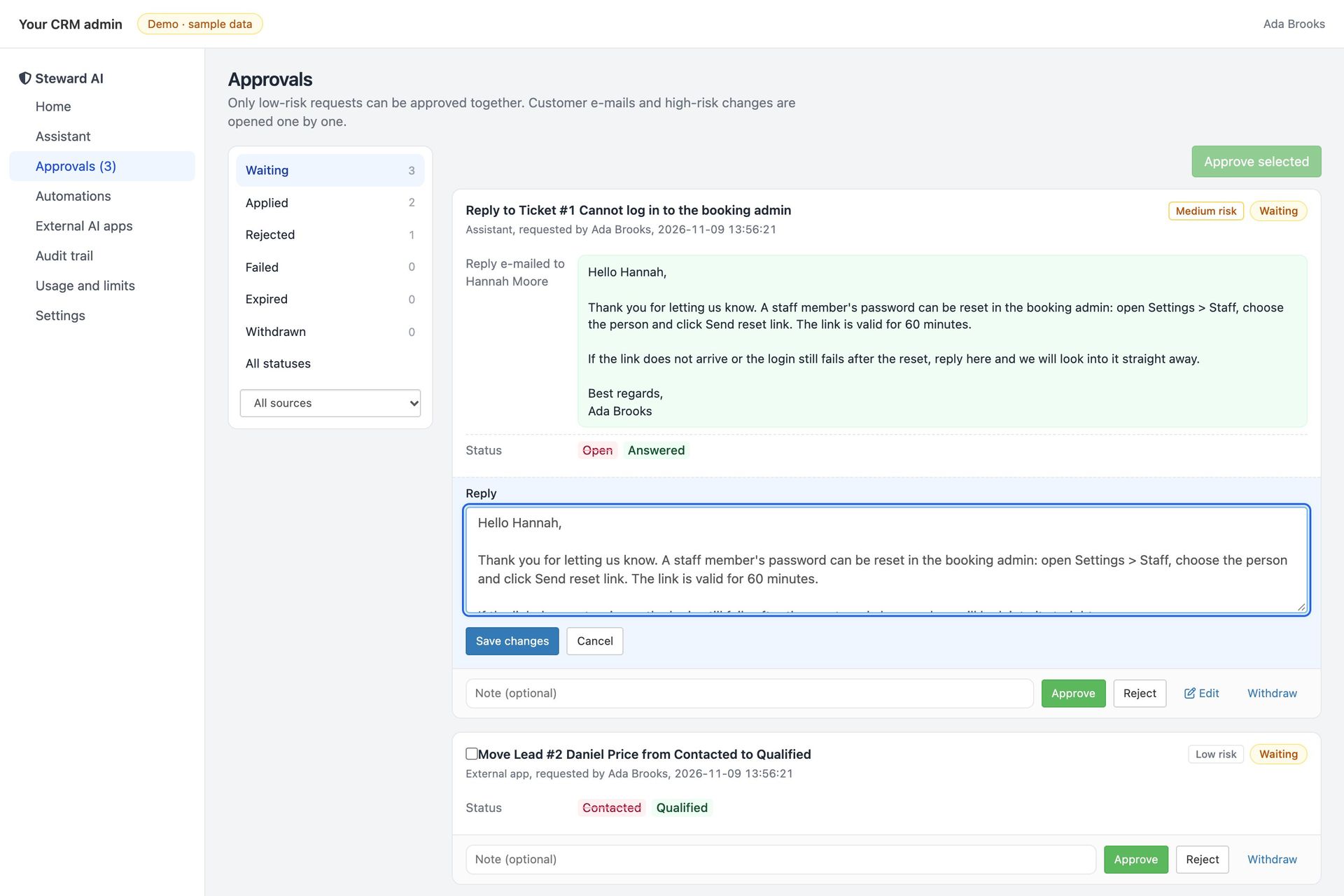
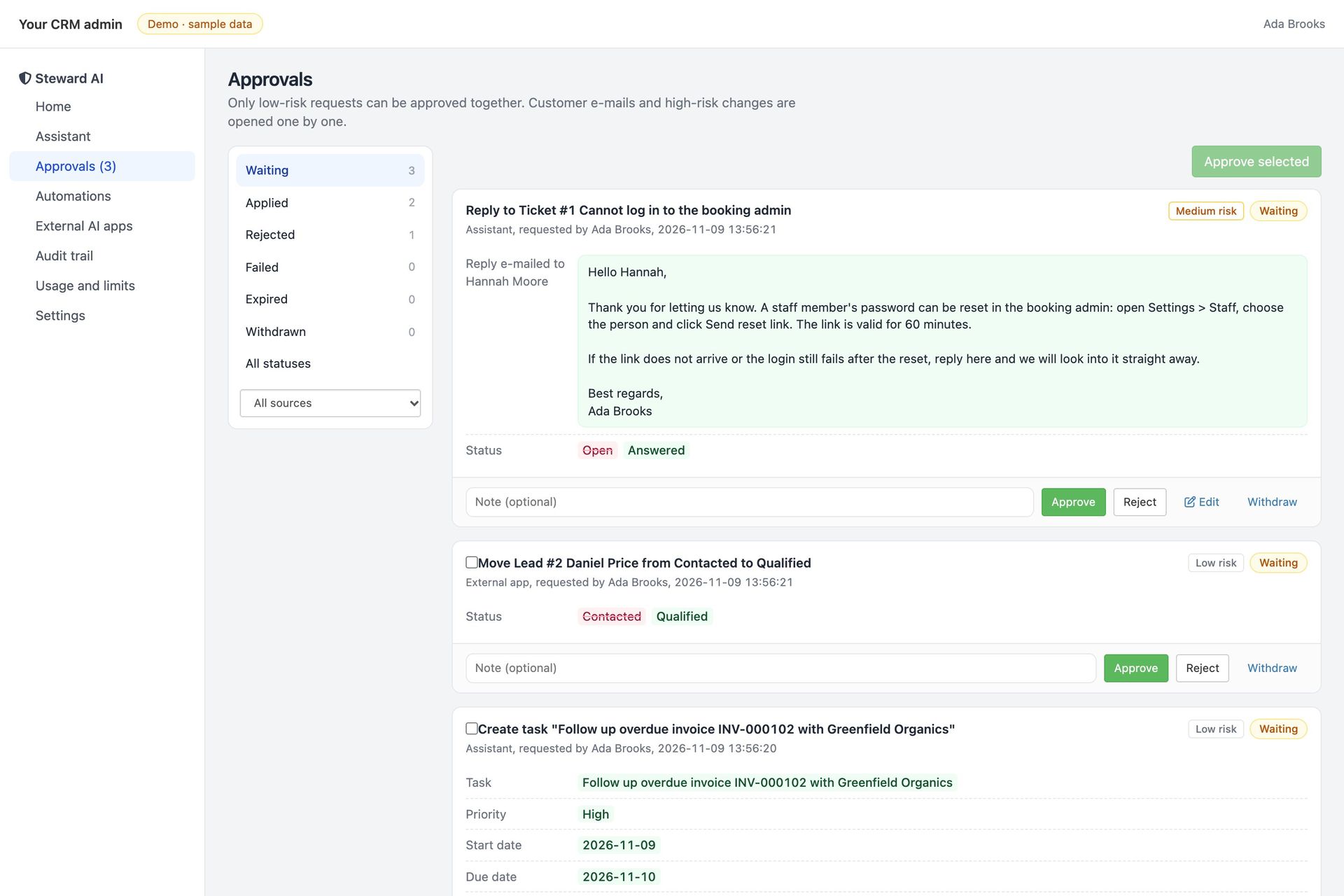
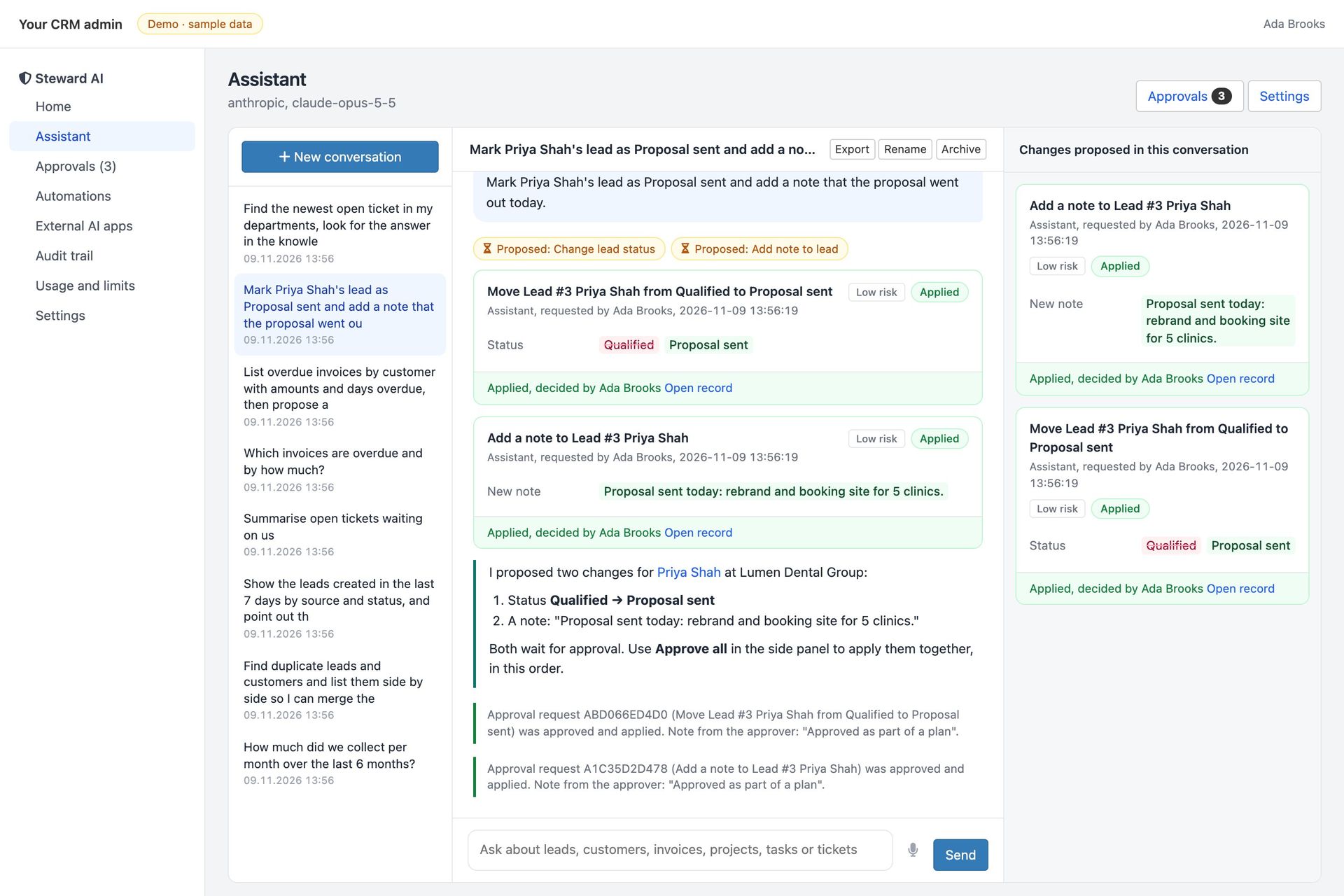
    Approval queue with a ticket reply, a lead status change from an external app and a task, each with Approve, Reject and Edit

    Approval queue

    Before/after for every field, risk level, edit before approve, reject with a reason the agent reads, approve a whole plan, bulk approval for low-risk requests.

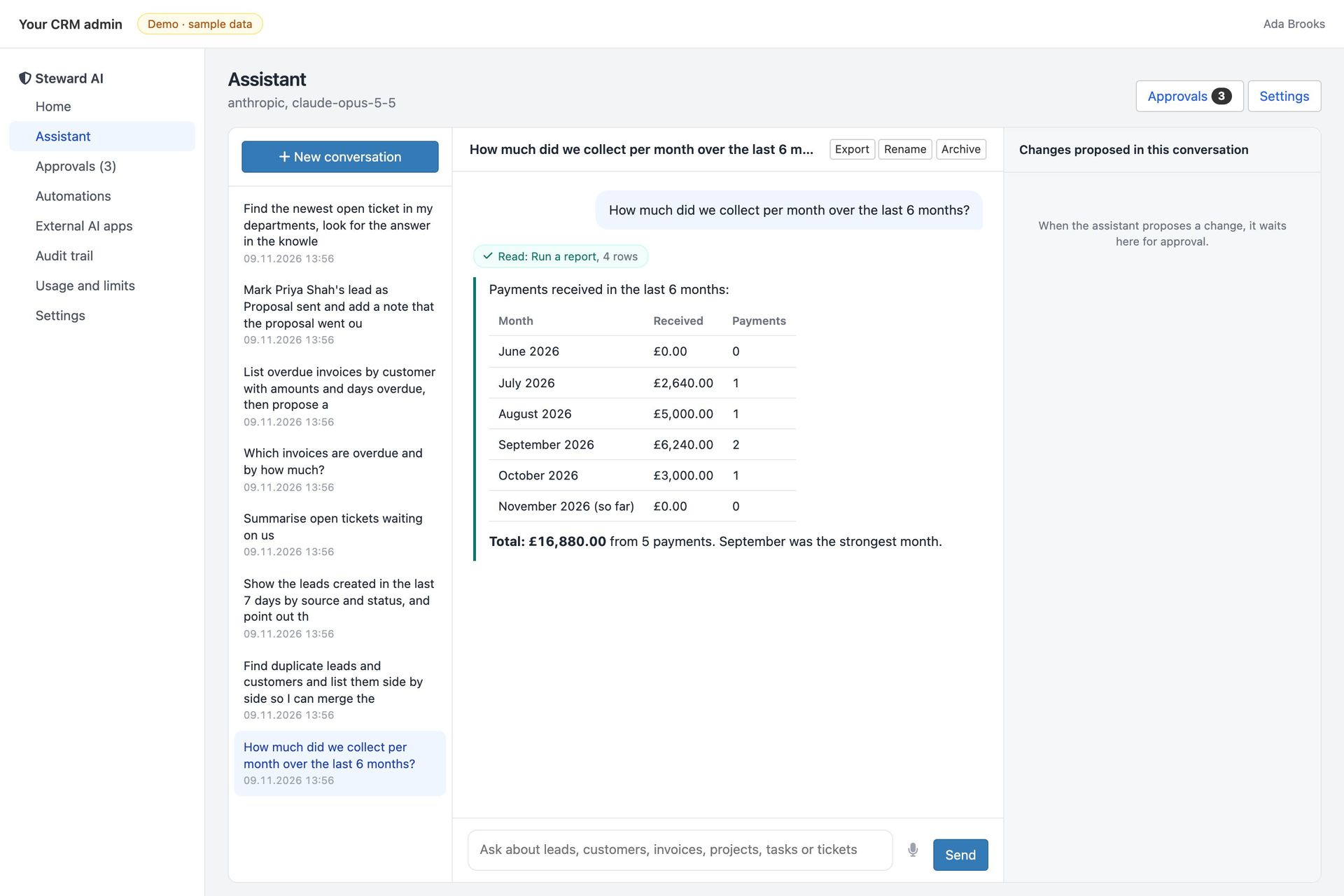
    Assistant answer: payments received per month for six months as a table with the total

    Answers with links

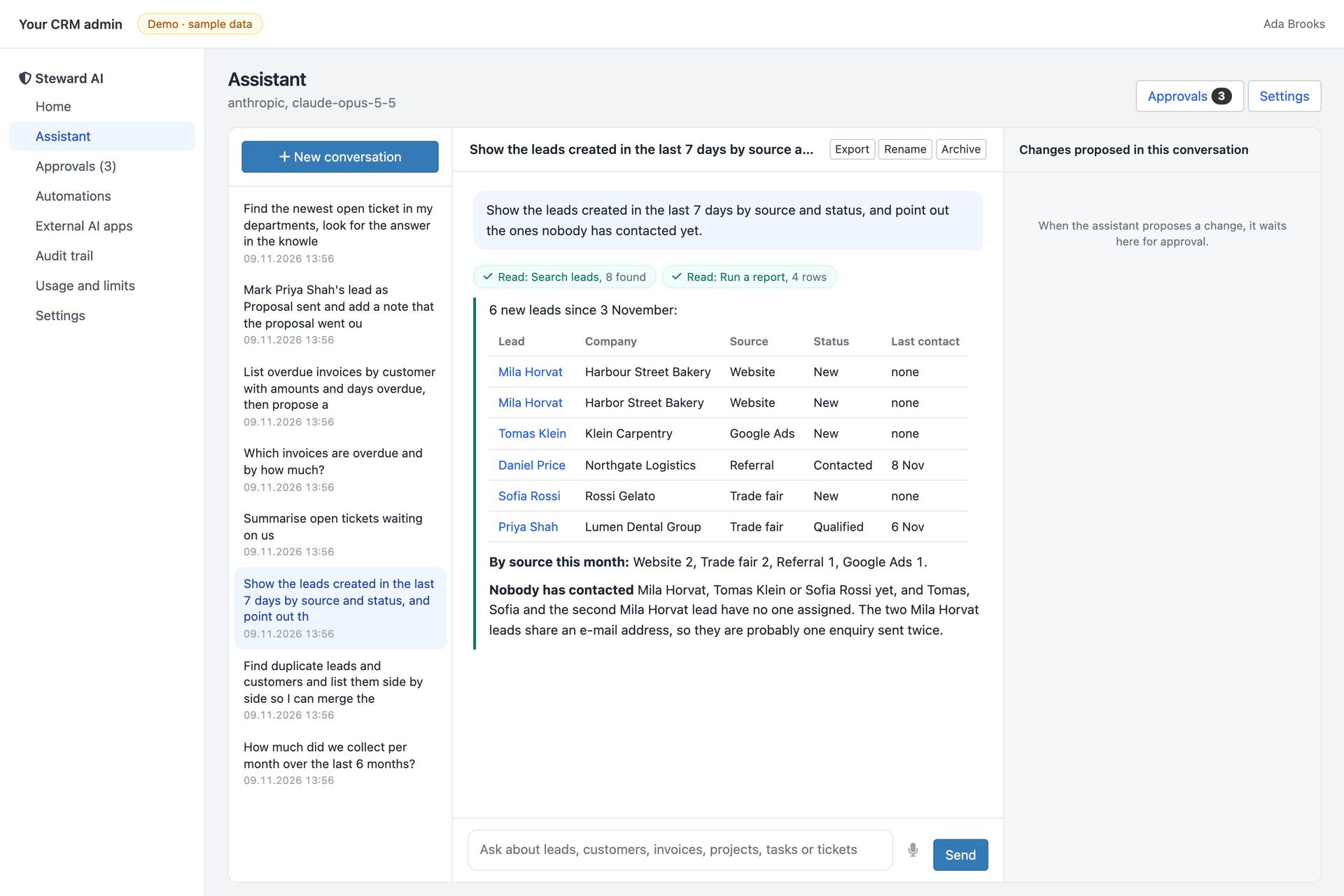
    Tables for figures, links to the invoices, leads and tickets it mentions. Reports in plain language: payments by month, who owes most, leads by source.
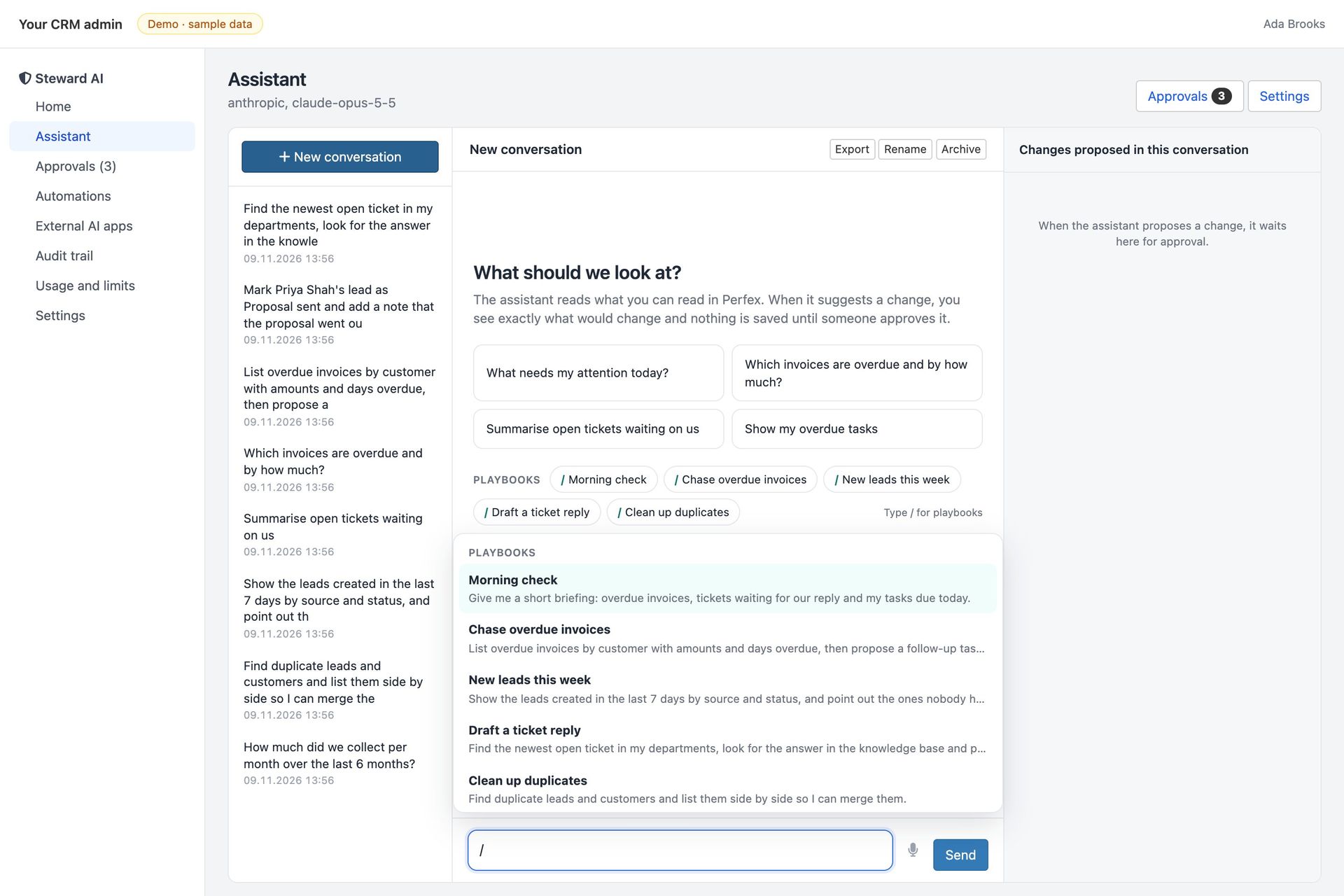
    The / menu in the chat box listing five team playbooks

    Team playbooks

    Type / in the chat box for your team's saved requests: morning check, chase overdue invoices, draft a ticket reply.
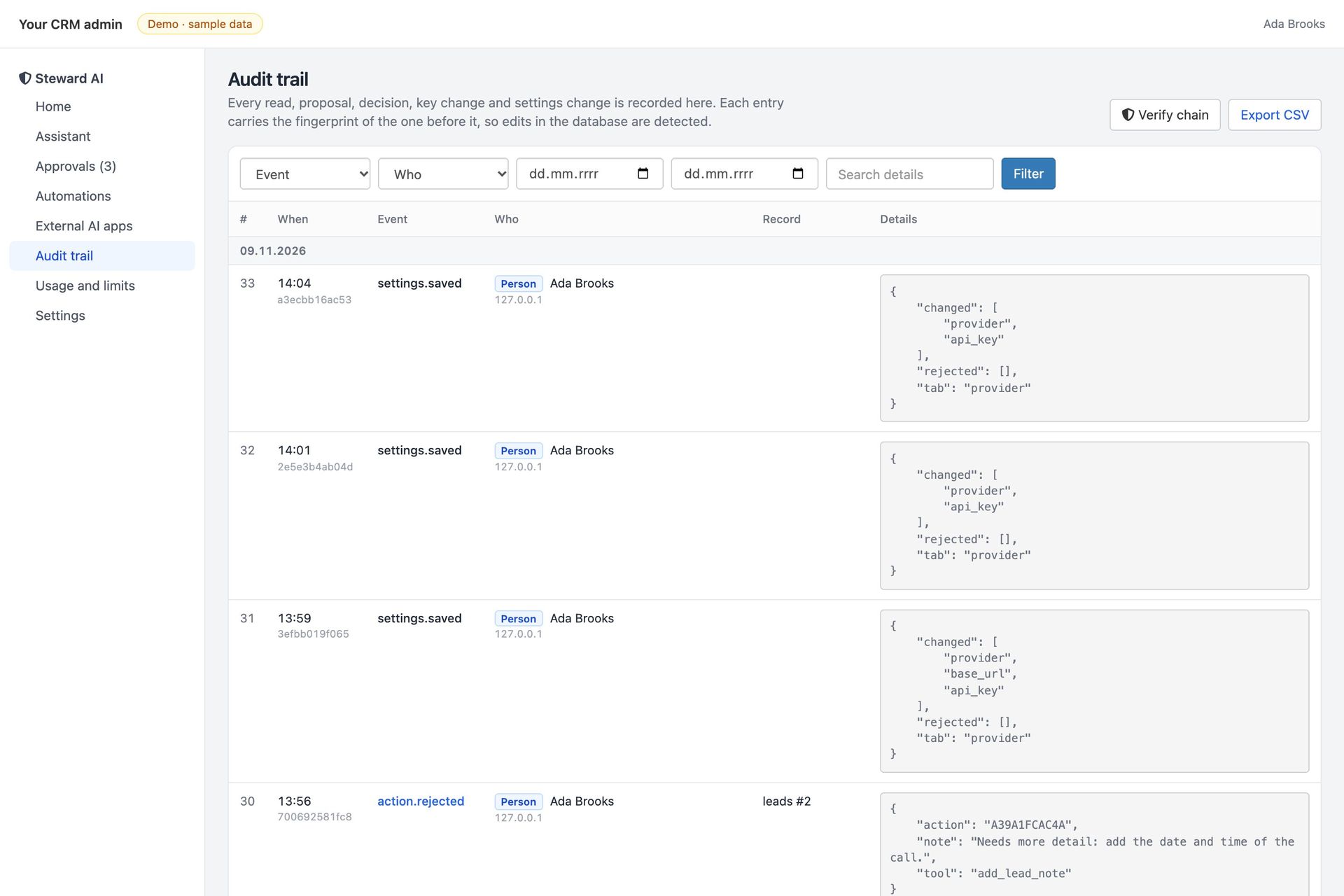
    Audit trail grouped by day with actor badges and the verify button

    Tamper-evident audit trail

    Every question, tool call, proposal and decision, hash-chained, with a Verify button and CSV export.
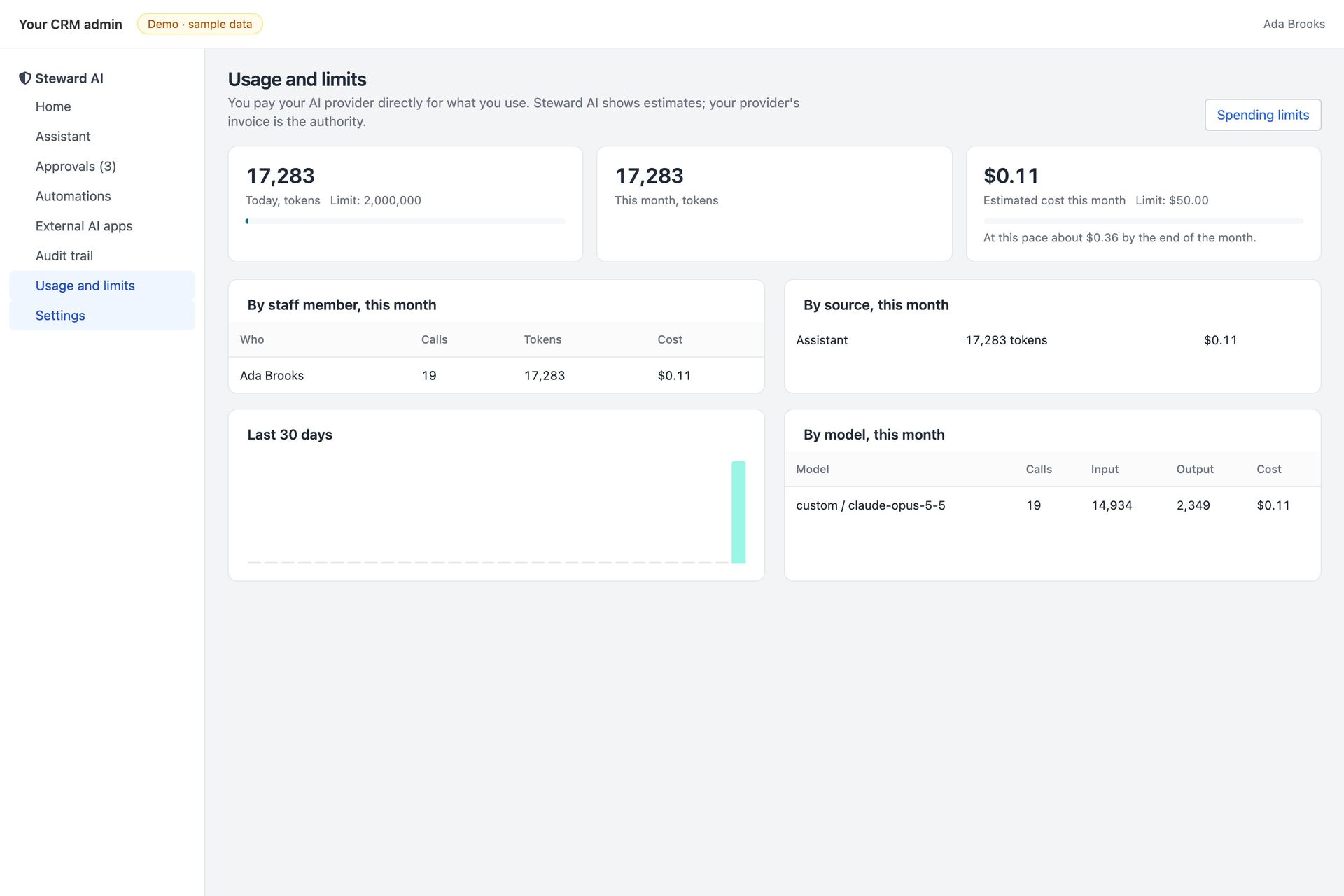
    Usage page: spend this month against the limit, a projection and spend per staff member

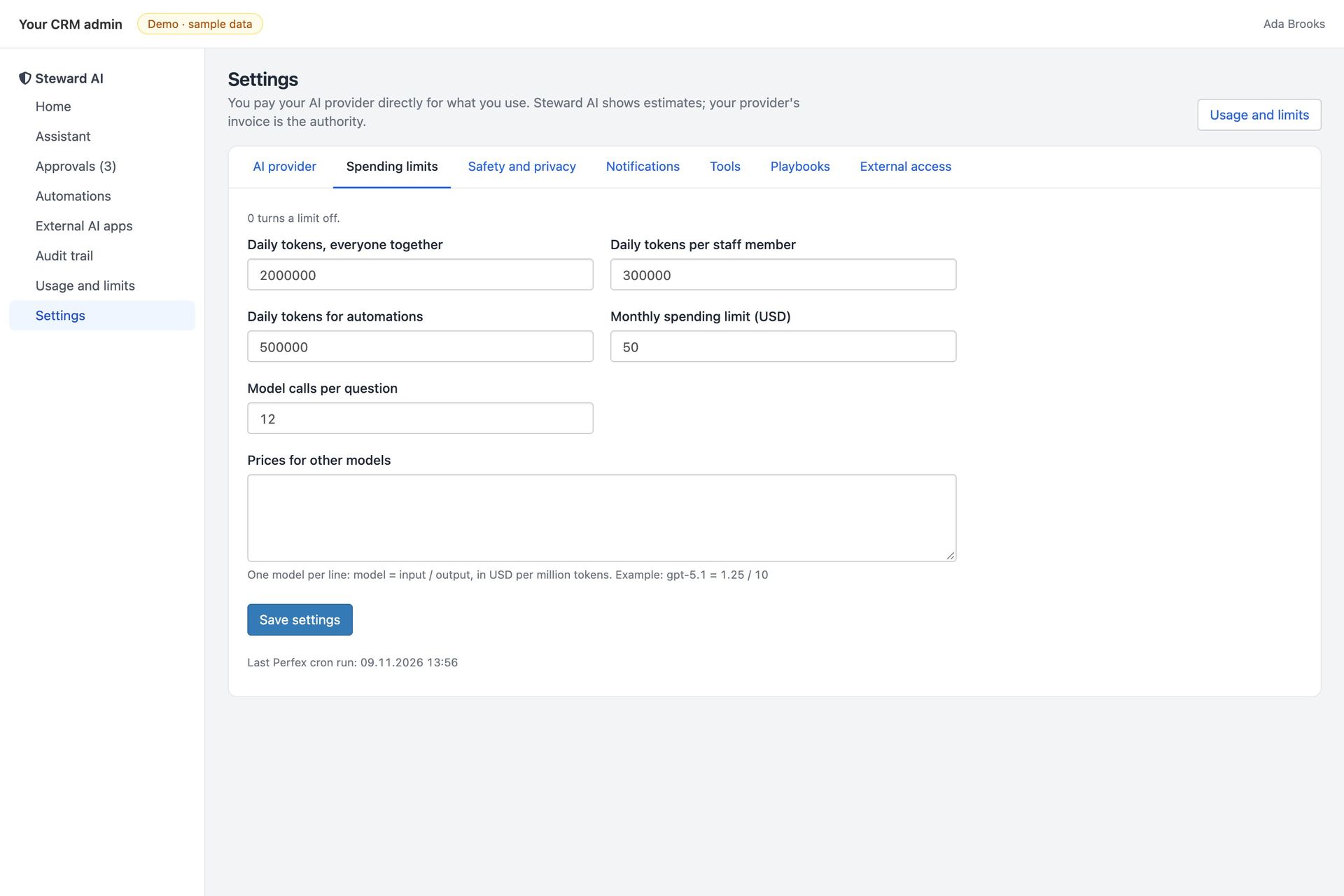
    Hard spending limits

    Per day, per staff member, for automations and per month in dollars. When a limit is reached, the agent stops and says so.
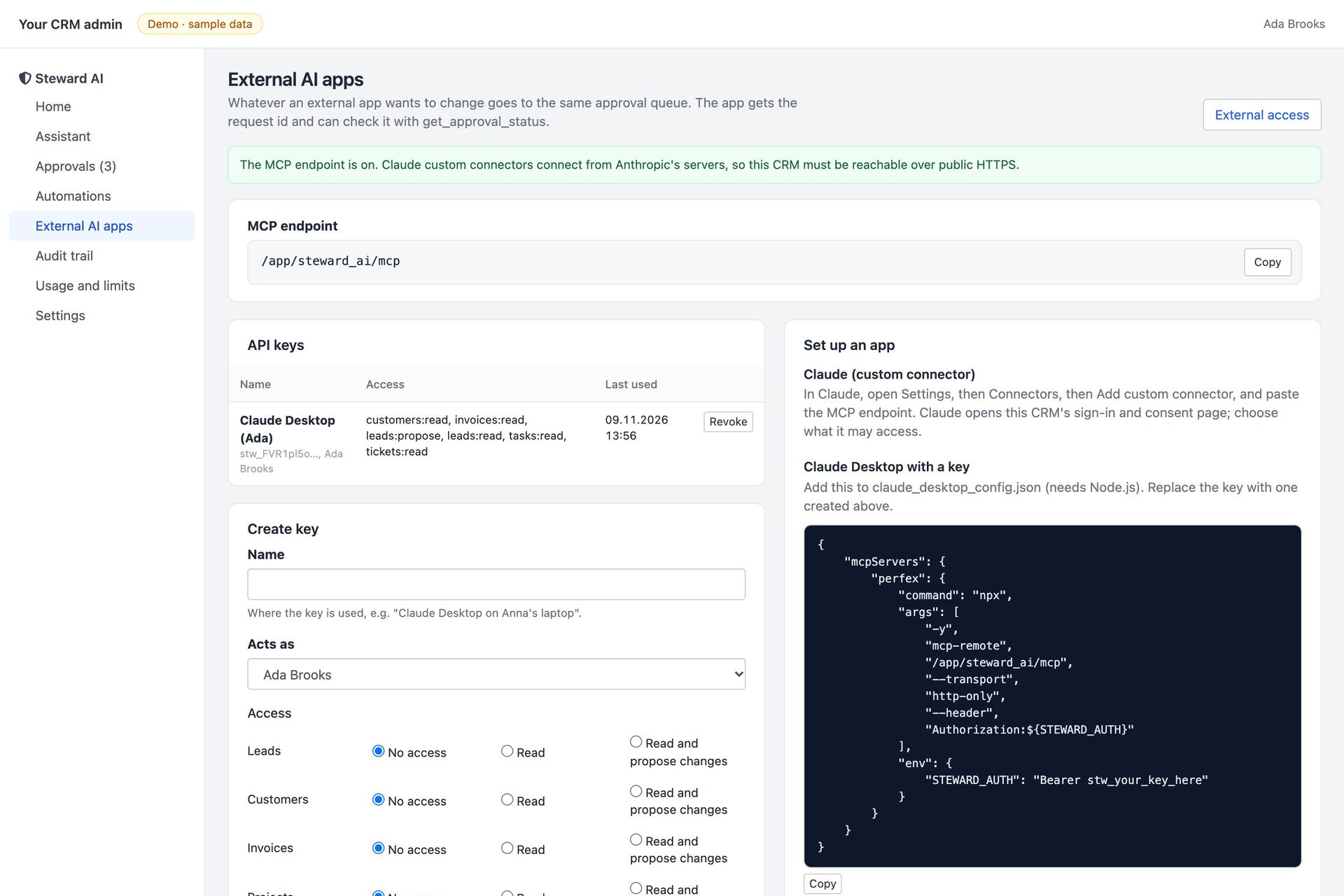
    External AI apps page with a scoped key for Claude Desktop and connection instructions

    Any AI app, same rules

    An MCP server with scoped keys and OAuth 2.1: Claude, ChatGPT and Cursor can read and propose, never write past the queue.

    Interactive tour

    See every screen.
    Then try it live.

    Real screens from the product. Click a screen to enlarge it.
    steward-demo.mikodes.com
    Home briefing
    steward-demo.mikodes.com
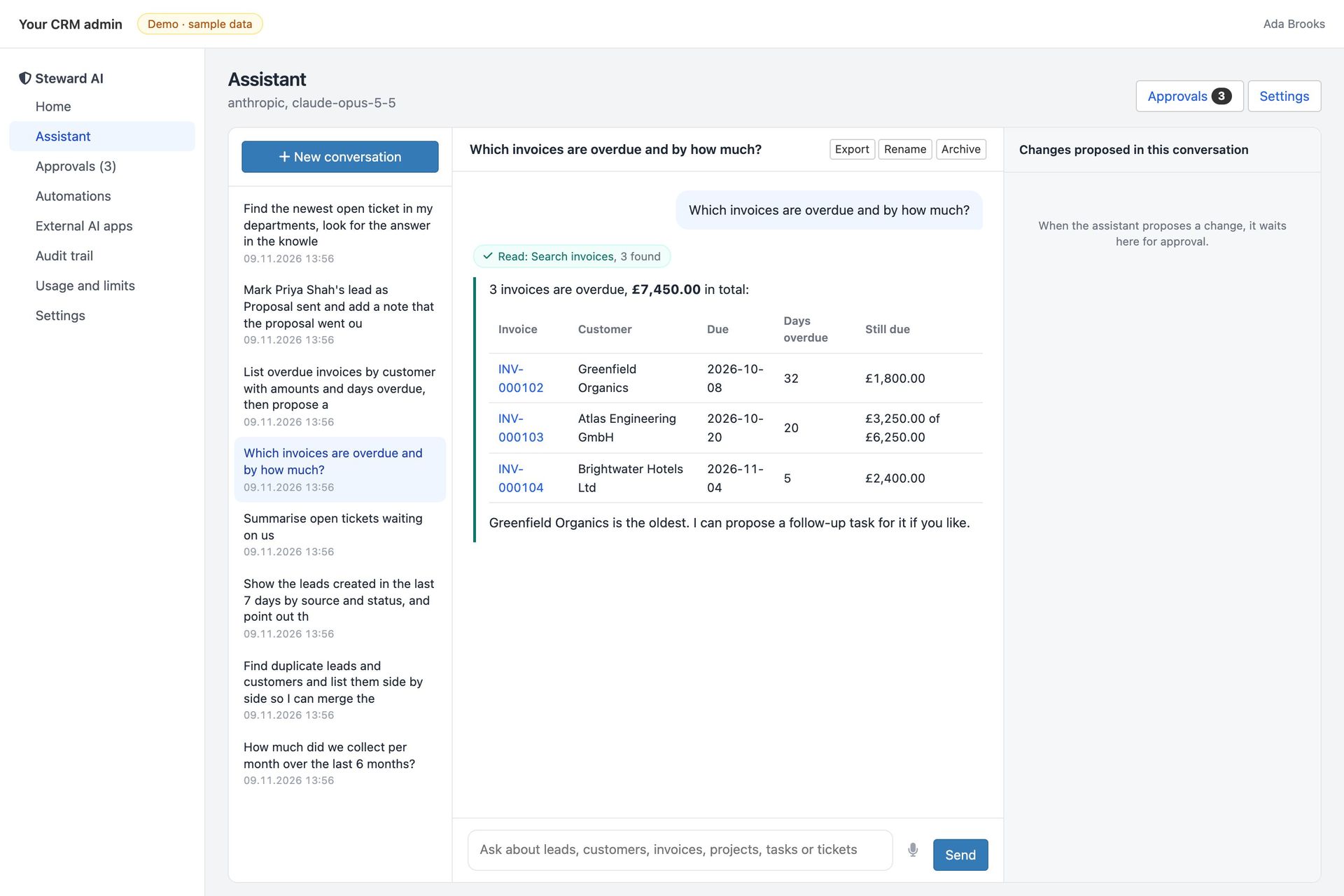
    Overdue invoices
    steward-demo.mikodes.com
    New leads
    steward-demo.mikodes.com
    Plan approved
    steward-demo.mikodes.com
    Edit before approve
    steward-demo.mikodes.com
    Auto-approve rules
    steward-demo.mikodes.com
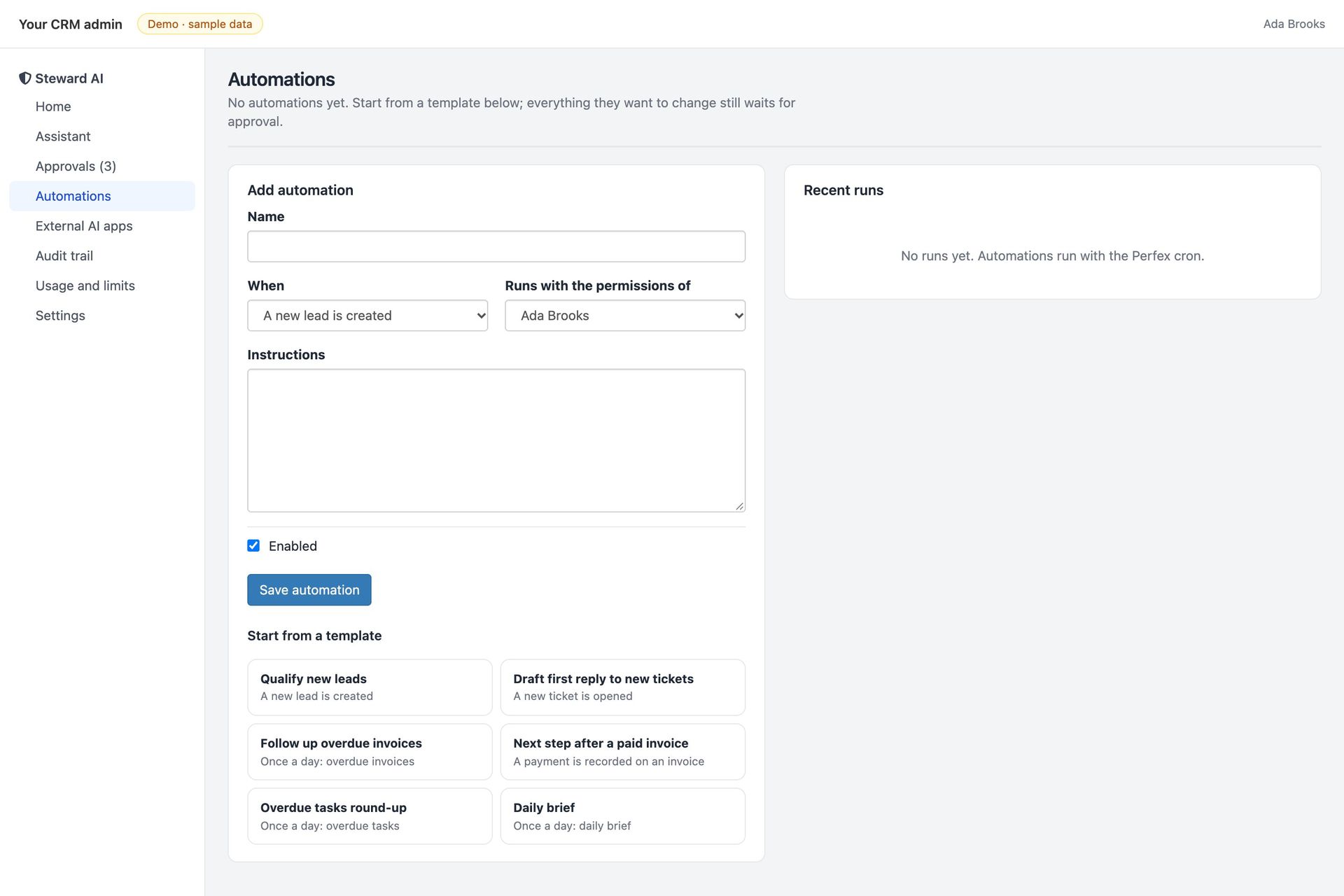
    Automations
    steward-demo.mikodes.com
    Spending limits
    steward-demo.mikodes.com
    Steward AI assistant: overdue invoices by customer as a table with links, and a proposed follow-up task waiting for approval with its fields shown
    steward-demo.mikodes.com
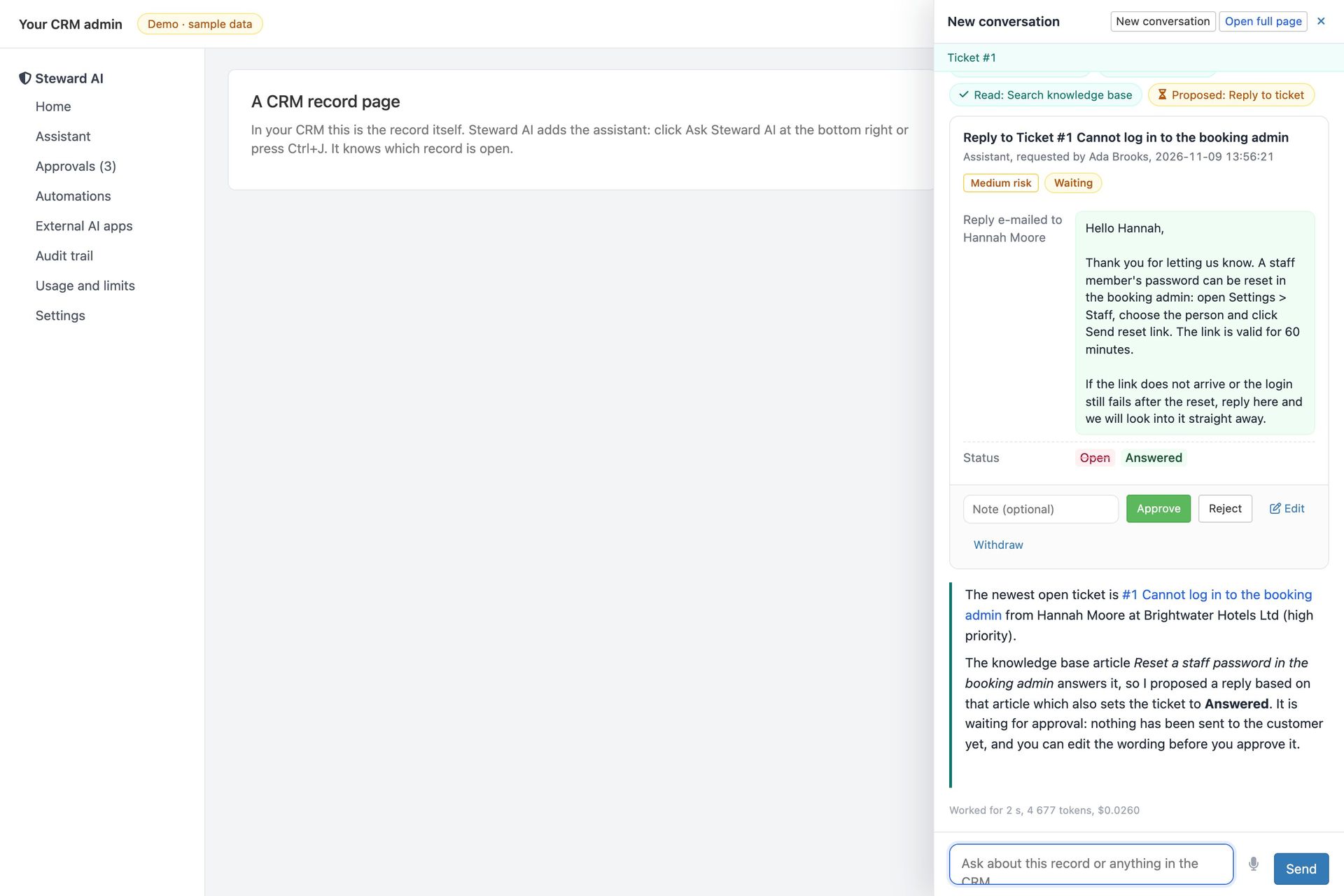
    Side drawer on a ticket: a proposed reply based on a knowledge base article, medium risk, with Approve, Reject and Edit
    steward-demo.mikodes.com
    Approval queue with a ticket reply, a lead status change from an external app and a task, each with Approve, Reject and Edit
    steward-demo.mikodes.com
    Assistant answer: payments received per month for six months as a table with the total
    steward-demo.mikodes.com
    The / menu in the chat box listing five team playbooks
    steward-demo.mikodes.com
    Audit trail grouped by day with actor badges and the verify button
    steward-demo.mikodes.com
    Usage page: spend this month against the limit, a projection and spend per staff member
    steward-demo.mikodes.com
    External AI apps page with a scoped key for Claude Desktop and connection instructions

    Ticket replies from your own help articles.
    Sent only after a person approves.

    The drawer on a ticket page: the agent found the knowledge base article, drafted the reply and set the status, and waits. Edit the wording, then approve.

    steward-demo.mikodes.com
    Side drawer on a ticket: a proposed reply based on a knowledge base article, medium risk, with Approve, Reject and Edit
    Open it live →

    Safe by design.
    Not by promise.

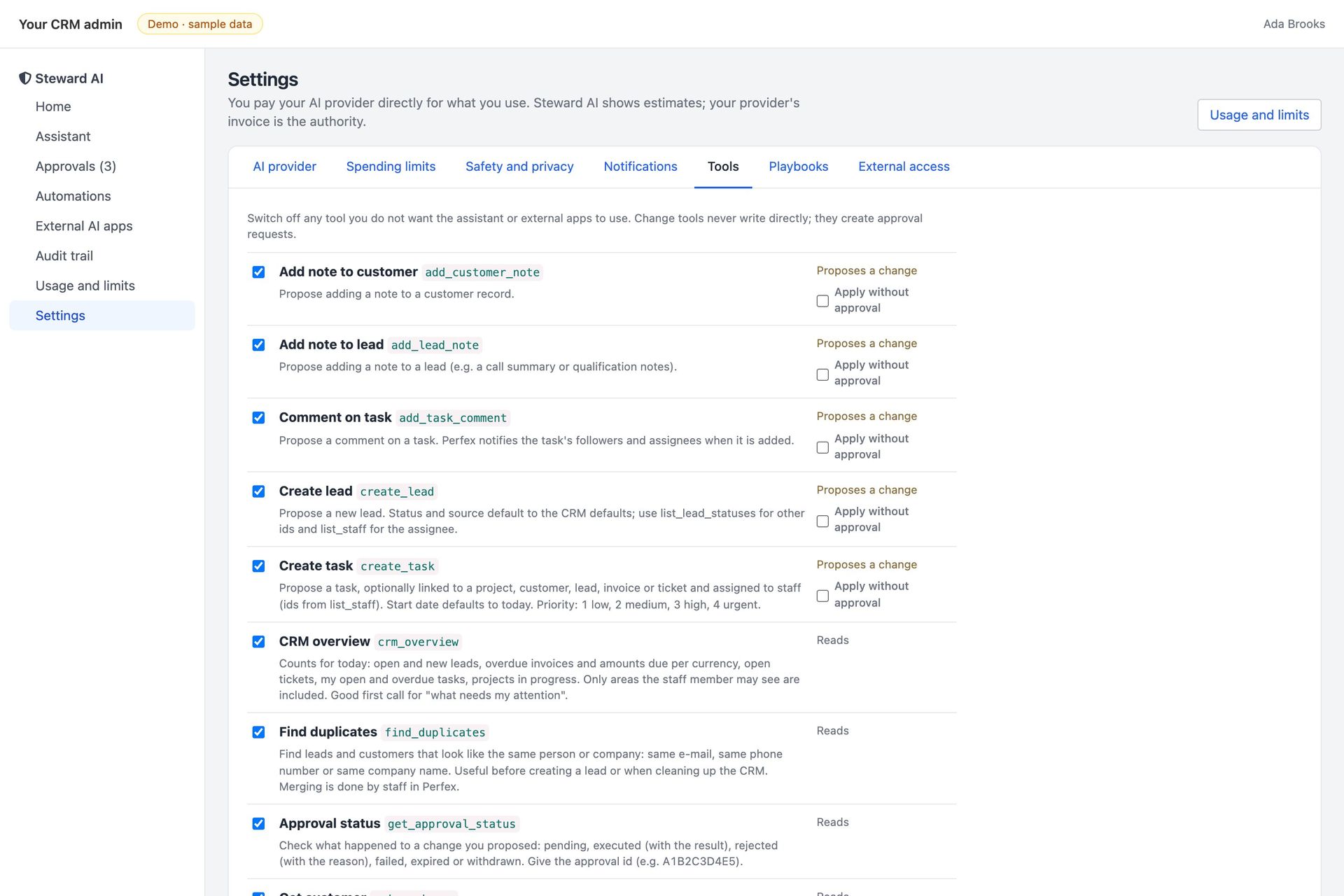
    Nothing changes without a personEvery write from the assistant, automations and external AI apps goes through the same approval queue. Version 1.0 has no delete actions and nothing that moves money.
    Perfex permissions applyStaff see and change only what Perfex already lets them see and change. Keys and automations that act as someone else are admin-only.
    Stale changes are refusedIf the record changed after the request was made, the change is not applied and nothing is overwritten.
    Your data, your providerPrivacy mode masks e-mail addresses and phone numbers before they reach a cloud model, or run a local model with Ollama.
    AI costs are yoursAnthropic, OpenAI and OpenRouter bill you directly per token. Steward AI estimates and enforces your limits; your provider's invoice is the authority.
    Not made by the Perfex authorsPerfex CRM is sold separately. Steward AI is an independent module that installs through Setup > Modules, without core edits.

    Buy the module

    Own Steward AI.
    Ship it as yours.

    • Full source code, yours to rebrand and run
    • Documentation, also online
    • A live demo to click through before you pay
    • The Perfex module (steward_ai.zip), installs through Setup > Modules
    • Module source with 110 automated tests
    • HTML documentation: install, providers, permissions, approvals, MCP
    • Item support through CodeCanyon

    Installation & customization

    Want it installed on your servers, rebranded or extended? The team that built it does that — write to us.

    Steward AI · source code

    Coming to CodeCanyon

    Coming to CodeCanyon. AI provider usage is not included.

    Give your team an AI agent. Keep the last word.

    Perfex CRM module · PHP 8.1+ · Claude, OpenAI, OpenRouter or Ollama · coming to CodeCanyon

    Installation & custom work

    The download is not the end of it.
    Tell us what you need.

    The code is sold on CodeCanyon. The work around it — getting it live, changing it, or building you something of your own — is ours, and it starts as a conversation on Telegram, not a form.

    Install it for me

    You bought the code and you want it running, not a folder of files.

    • On your own servers, your domain, your keys
    • Your name and colours, not ours
    • Handed over working, with what we changed written down

    Add features

    Steward AI plus the one thing it does not do yet.

    • A screen, a chain, a payment method, a report
    • Built into your copy, so updates still apply
    • We say up front if it is a bad idea

    Build something custom

    A product of your own, on foundations that already work.

    • Starts from what is proven here, not a blank page
    • Yours alone — we do not resell it
    • Same standard as the products on this page

    MIKODES is a Slovak company and has been selling on CodeCanyon since April 2019. 19 products run in the open at mikodes.com — Solana, Hyperliquid, Base, Telegram and WordPress. Tell us what you need and we will tell you what it takes; we will also say when we are the wrong people for it.

    Talk to us

    Start the conversation.

    Telegram is fastest and it reaches the person who built this, in English. Describe what you need and you get an honest answer about what it takes. The source code itself is sold on CodeCanyon.

    Telegram · fastest

    Talk on Telegram

    E-mail

    For installation and customization quotes.

    Other MIKODES products

    Also by MIKODES.

    Live demoBuy the module